Why Epson Inkjet Printers Are Used For Sublimation Printing.
A Little About Sublimation Printing
Understanding sublimation printers—what they are and how they work—can be a little tricky. The aim of this post is to simplify the subject by breaking it down into a few key points within what is, admittedly, a fairly complex topic. This should give our customers, or potential customers, a clearer understanding of what they are buying and why the printer supplied will be an Epson.
We’ve come across some questionable explanations online, as well as listings offering “sublimation printers” from manufacturers whose printers are simply not compatible with sublimation printing. Quite simply: not a chance — they are technically incompatible.
A Lot of Confusion
Confusion is further increased when customers contact Epson directly for help with a printer model and are told that the printer is “not a sublimation printer.” What Epson actually means by this is that they do not sell that printer as a sublimation printer.
Here’s the important part: all Epson inkjet printers are capable of sublimation printing. This is because Epson printheads do not use heat during the printing process. Epson refers to this as Heat-Free Technology, and this is the critical reason Epson inkjet printers can be used for sublimation printing.
Why Is Heat-Free Technology Important in Sublimation Printing?
To understand why HobbyPrint® supplies Epson printers for sublimation inks, it helps to have a basic understanding of what sublimation ink is and how it works.
In simple terms, sublimation ink contains inert particles that only become active when heat is applied. When heated, the ink changes from a solid to a gaseous state, allowing it to bond with polyester fabrics or specially coated substrates.
Once transferred, the ink cools and returns to a solid state, forming the final image. This is the essence of the sublimation process.
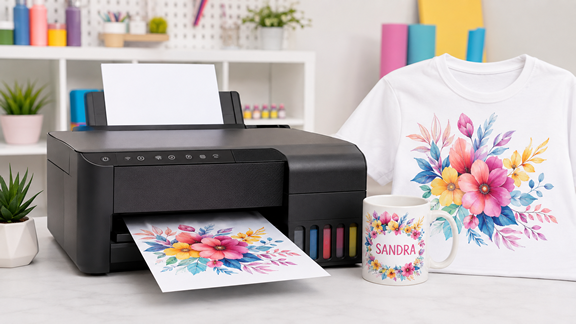
This is why a heat press is required. The printer first prints a mirrored design onto sublimation transfer paper—ideally a high-release (HR) paper. The printed design is then placed onto the substrate (for example, a mug or garment) and heat is applied using a heat press, allowing sublimation to take place.
Why Some Printers Cannot Be Used for Sublimation
Printers from manufacturers such as HP and Canon use heat to boil ink in order to force it through the printhead. Because sublimation ink reacts to heat, this would cause the sublimation process to begin inside the printhead, rather than in the heat press.
The result? A blocked printhead — and a very messy one.
Why Use an Epson Printer for Sublimation Printing?
Epson printers use vibrations, rather than heat, to push ink through their Micro Piezo™ printheads. That’s it — now you know why.
Heat-Free Print Technology.
It’s also worth noting that several other printer manufacturers use Epson’s Micro Piezo™ printheads in their own branded printers. Brother is one such example.
If you are considering any printer brand other than Epson for sublimation printing, always ask whether the printer uses an Epson Micro Piezo™ printhead.
HobbyPrint®’s Approach to Sublimation Printers
HobbyPrint® goes out of its way to make it clear that we sell printers capable of sublimation printing, not printers manufactured as sublimation printers.
Our listings clearly state that we supply an Epson WF-xxxx printer model, expertly paired with a HobbyPrint® sublimation accessory kit.
It is the combination of the printer and the accessory kit that creates a sublimation printer, and it’s important that customers fully understand this.