-
How to Download and Print a Design From Canva or Adobe Express as a PDF
Read more: How to Download and Print a Design From Canva or Adobe Express as a PDFPDF Files Created in Canva or Other Online Programmes Using online design creation software is a growing trend. Aplications like Canva or Adobe Express is becoming more popular. A popular file choice to download a deign is the PDF format. A PDF can be downloaded and printed from online software…
-
A Guide to Sublimation Paper: Weights, Coatings, and Troubleshooting Explained
Read more: A Guide to Sublimation Paper: Weights, Coatings, and Troubleshooting ExplainedChoosing the right sublimation paper can feel like a minefield. With different weights (GSM), various coatings, and a flood of conflicting advertisements online, it is easy to get confused. If you have seen adverts claiming you need a completely different brand of paper for a mug versus a T-shirt, you…
-
Getting the Best Results from Your Printer
Read more: Getting the Best Results from Your PrinterYour HobbyPrint® printer bundle is capable of producing very high-quality images on photographic papers, transfer papers or edible icing sheets, depending on the printer model and the application for which it was purchased. Good results start with suitable artwork, installing the printer manufacturers drivers & apps, the correct printer software,…
-
Sublimation Ink: Check the Compatibility Claims Before You Buy
Read more: Sublimation Ink: Check the Compatibility Claims Before You BuyAt HobbyPrint®, we are seeing marketplace listings advertising sublimation ink as suitable for Epson, Ricoh and Brother printers, while also claiming compatibility with HP and Canon printers. These claims need careful checking because the printers can use fundamentally different methods of ejecting ink. Two different printhead technologies Piezoelectric printheads use…
-

The New High Street: Specialist Retail Advice Brought Back Into Online Shopping
Read more: The New High Street: Specialist Retail Advice Brought Back Into Online ShoppingSpecialist retail advice has slowly disappeared from much of online shopping, but as a result of the boom in internet shopping, high street shops have closed and with it, the specialist advice and shops. A double whammy. Customers can now buy almost anything in seconds, but they are often left…
-
Try Before You Buy Sublimation Printer Rental Scheme
Read more: Try Before You Buy Sublimation Printer Rental SchemeHobbyPrint® has launched a simple Try Before You Buy sublimation printer rental scheme. This is ideal if you would like to try sublimation printing before buying a printer, or if you have a one-off project in mind. For example, you may want to make a batch of personalised T-shirts, produce…
-
Why Microsoft Word Is Not Always the Best Choice for Printing Images
Read more: Why Microsoft Word Is Not Always the Best Choice for Printing ImagesMicrosoft Word is useful for documents, but it is not always the best choice for image printing. Free and low-cost graphics software can give better control over size, colour, and print quality.
-
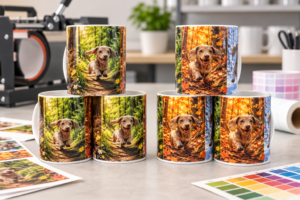
Sublimation Mug Press Settings: Why Too Much Heat, Time or Pressure Can Make Your Image Too Dark & Muddy.
Read more: Sublimation Mug Press Settings: Why Too Much Heat, Time or Pressure Can Make Your Image Too Dark & Muddy.Our mug press test showed that too much heat, time and pressure can make sublimation transfers too dark. Lower settings produced a cleaner image closer to the screen result.
-
Using Alternative Ink Types to Create a Bespoke Printer and Your Printer Warranty.
Read more: Using Alternative Ink Types to Create a Bespoke Printer and Your Printer Warranty.What is a bespoke Printer? Any printer that is being used in an application, or using a type of ink not intended, or supported by the printer manufacturer, can be considered as a bespoke printer. This would include using a printer for sublimation printing or edible printing. Many customers successfully…
-

Sublimation Printing – Ink & Transfer Paper Ratio Guide
Read more: Sublimation Printing – Ink & Transfer Paper Ratio GuideQ: When Will I Need More Sublimation Transfer Paper or ink?A: Hopefully the following comments notes will help to work that out. Sublimation Printer Bundle, Consumables Contents When purchasing a sublimation printer bundle, it is important to check both the amount of sublimation ink and the quantity of transfer paper…